Diameter
SpherAAA can act as a Diameter peer for HSS/carrier-network integrations, such as EAP-AKA/AKA' (mobile/SIM subscriber) authentication. Connections to Diameter peers are configured through the Diameter Peers and Diameter Certificates pages, which only appear in the navigation if Diameter is enabled on your account's license - if you don't see them, that's why.
Beyond authentication, SpherAAA's PolicyLogic scripting framework can combine Diameter, RADIUS, and HTTP calls within a single script, enabling routing and bridging logic between a Diameter peer, a RADIUS server, and an HTTP backend. This is a scripting capability built on the same request/response primitives described below, rather than a separate configurable mode.
Diameter Peers
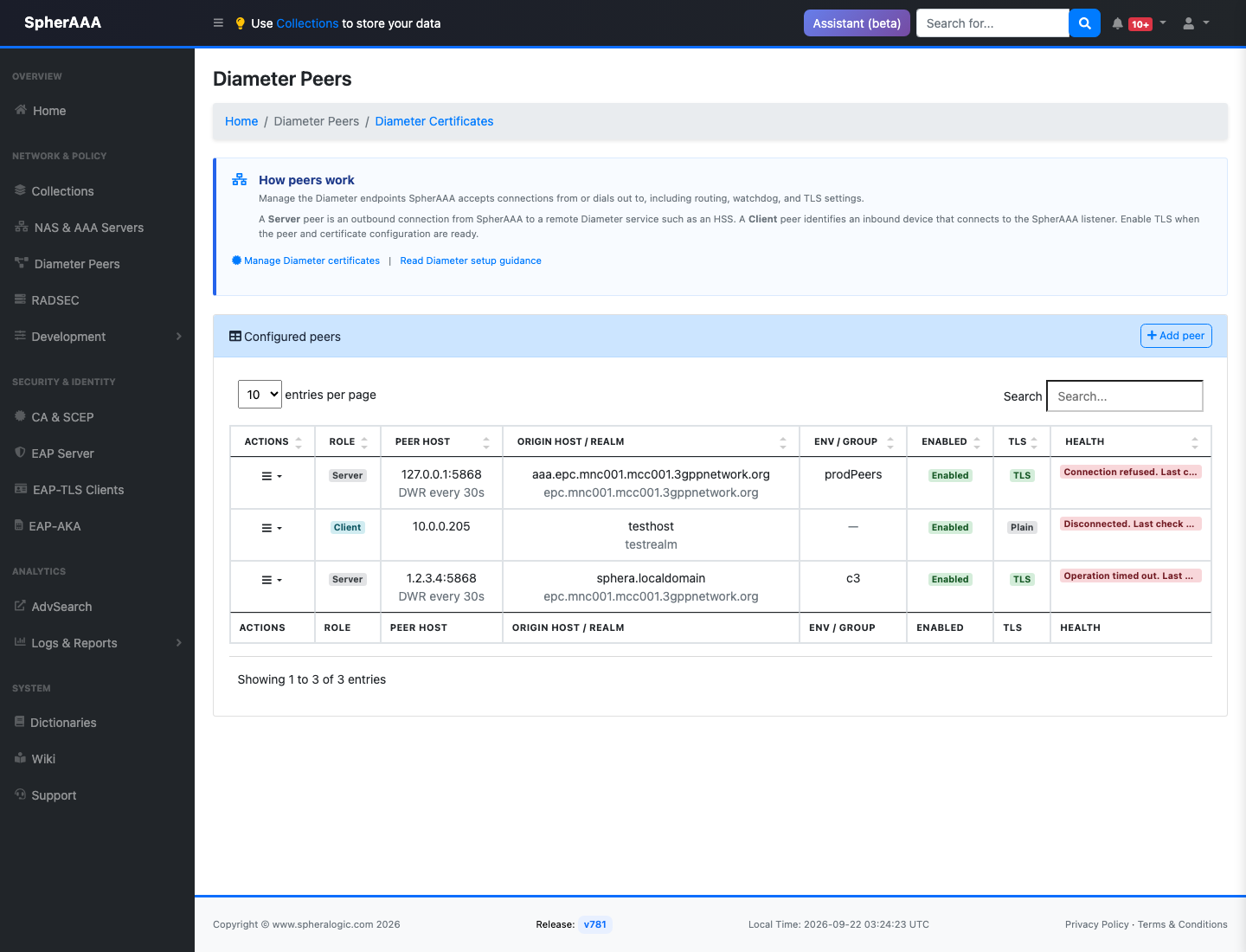
Diameter Peers manages the Diameter connections SpherAAA accepts from, or dials out to.
Add or edit a peer with a Peer Role selector that changes which fields below apply:
- Client (inbound, matched by Host/IP): the peer (for example, an MME/DRA) connects in to SpherAAA, matched by its source IP or CIDR, similar to a NAS.
- Client (inbound, matched by TLS certificate): the peer connects in to SpherAAA and is identified purely by its TLS client certificate instead of an IP - the Peer Host field doesn't apply and is hidden. A certificate is always generated automatically for this type when you save; there's no option to reuse an existing certificate here, since one wouldn't exist yet for a peer that hasn't been created.
- Server (an outbound peer): SpherAAA dials out to the peer (for example, your carrier's HSS).
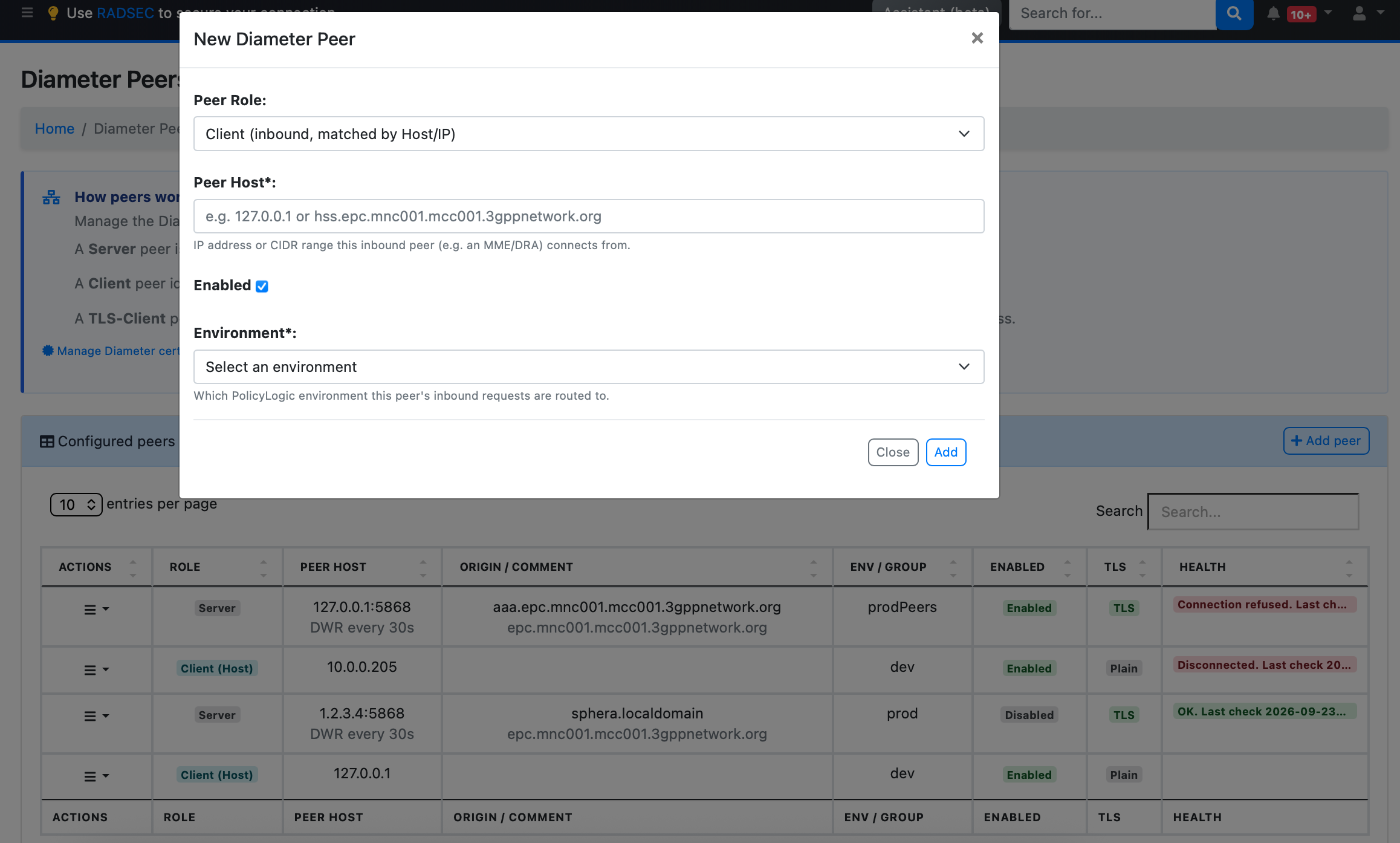
The rest of the form:
- Peer Host: for a Server peer, the address to dial (e.g.
hss.epc.mnc001.mcc001.3gppnetwork.org). For a Client (Host/IP) peer, the IP or CIDR the inbound connection is expected from. - Enabled: turns the whole peer entry on or off.
- Environment (Client peers, either type): which PolicyLogic environment this peer's inbound requests are routed to.
- Comment (Client, TLS-certificate peers only): free-text note to help identify the entry.
- Origin Host / Origin Realm (Server peers only): SpherAAA's own Diameter identity, as presented to the peer (e.g.
aaa.epc.mnc001.mcc001.3gppnetwork.org/epc.mnc001.mcc001.3gppnetwork.org). - Peer Group (Server peers only, optional): give multiple peers the same group name to load-balance traffic across them; leave blank for a standalone peer.
- Peer Port (Server peers only): defaults to 3868 (or 5868 once Use TLS below is checked), the standard Diameter and Diameter-TLS ports.
- Watchdog Interval (Server peers only): how often, in seconds (default 30), to send a keep-alive on the outbound connection.
- Use TLS (Server peers only): reveals a certificate section - pick Use existing certificate (from certificates already imported on the Diameter Certificates page) or Generate new certificate (one is generated and auto-downloaded after saving; install it on the actual peer device), plus which TLS versions (1.2/1.3) are allowed for the handshake.
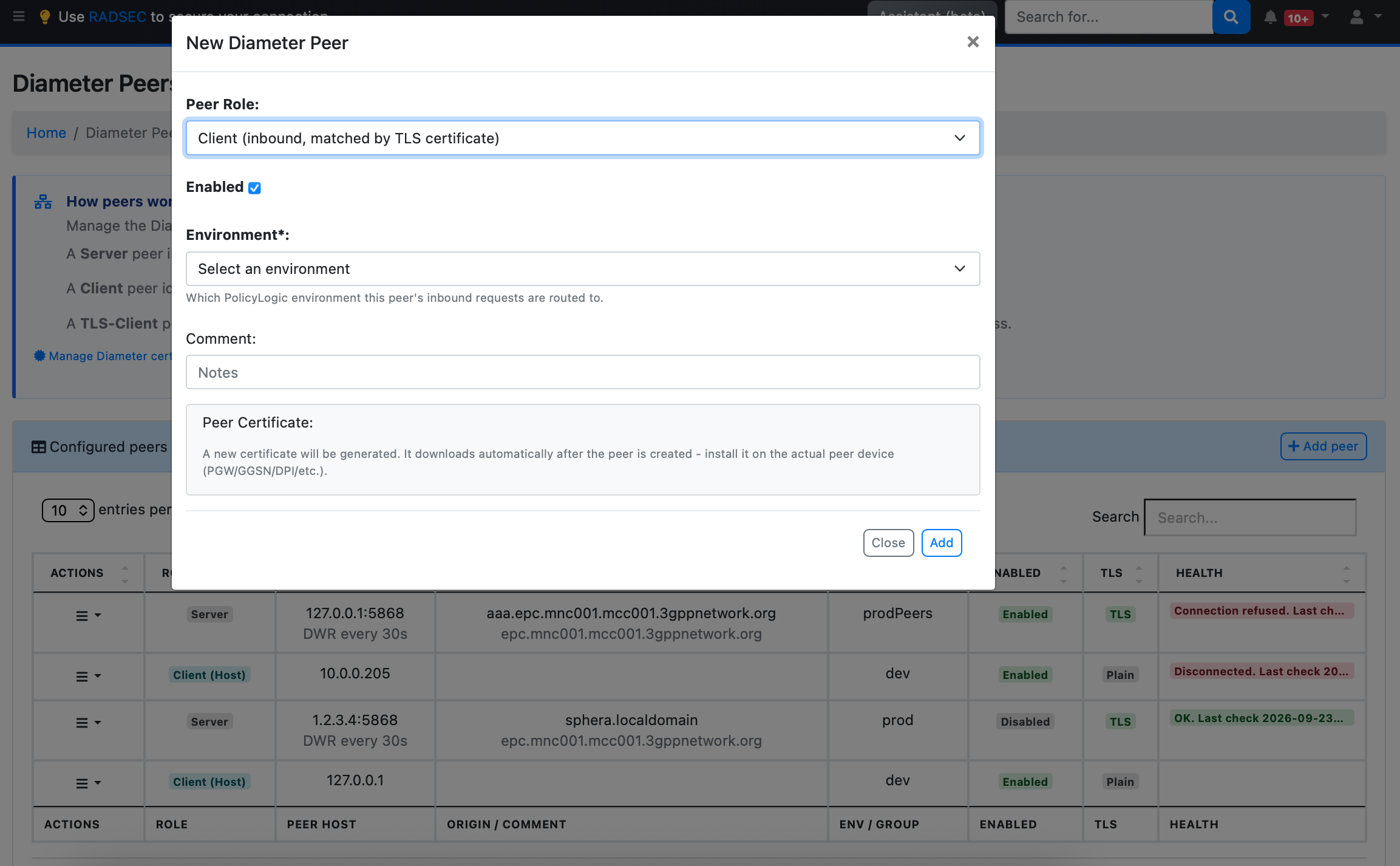
Saving, editing, or removing a peer shows a brief notice that the change can take up to 30 seconds to actually take effect.
Diameter Certificates
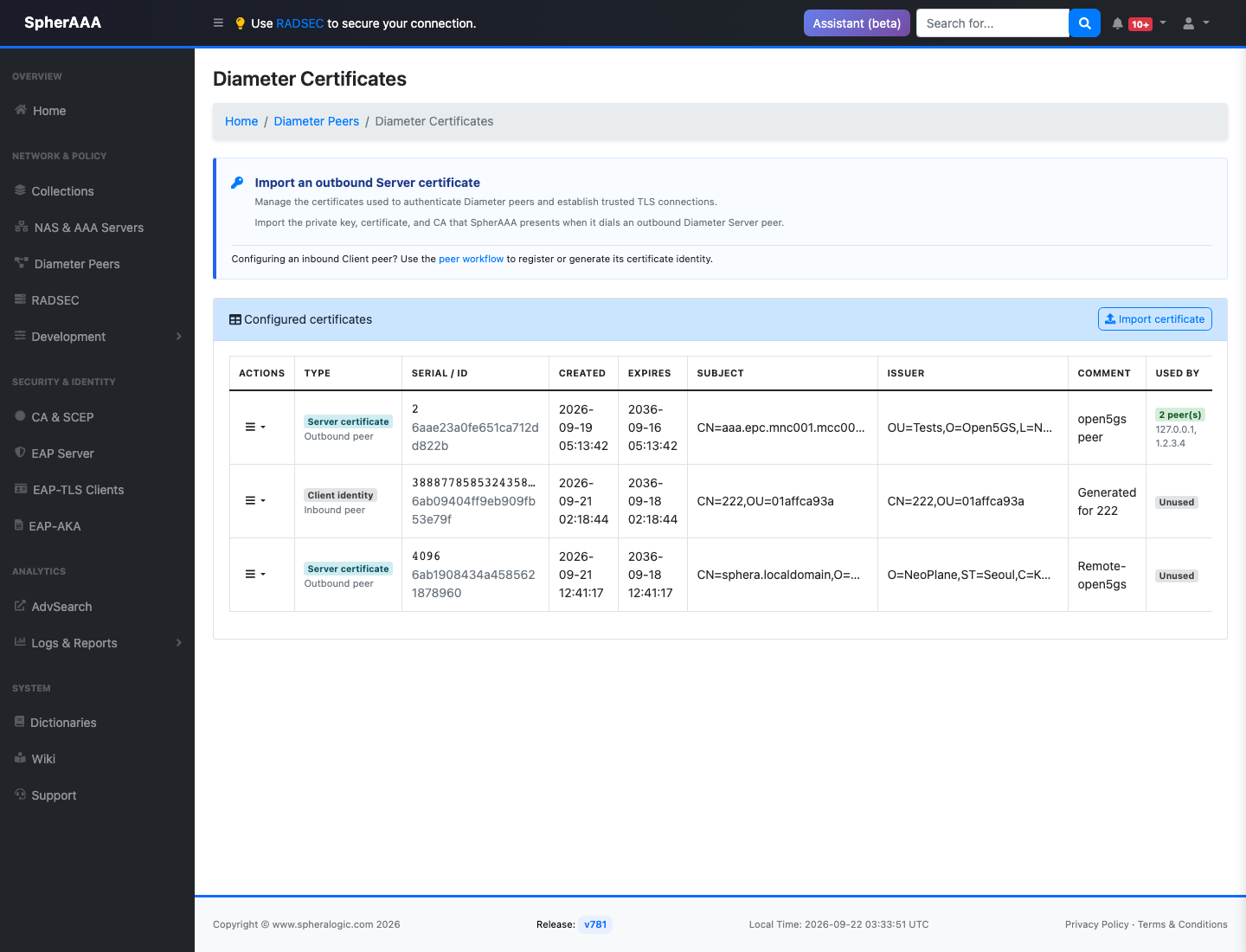
Diameter Peers → Diameter Certificates manages the TLS certificates used for outbound Diameter connections configured on the Diameter Peers page above - the private key, certificate, and CA chain SpherAAA presents when it dials out to a peer such as a carrier's HSS.
Import Certificate opens a form with three fields, each accepting a file upload or pasted PEM text:
- Private key
- Certificate
- CA Certificate - the CA the peer's TLS connection should trust the remote end (the HSS) against.
- Plus a free-text Comment to help identify the entry later.
The private key is stored encrypted.
The certificate table lists each entry's type (server certificate for an outbound peer, or client identity for an inbound peer), serial/ID, creation and expiration dates (flagged if expired or expiring within 30 days), subject, issuer, comment, and which peer(s) currently use it. From the row actions you can download a certificate (as PEM or P12, if it includes a private key) or delete it - deletion is disabled while a peer still references the certificate.
Using Diameter peers in PolicyLogic
A configured, enabled Diameter peer (or peer group) is referenced by name from PolicyLogic scripts:
DiameterRequestsends an arbitrary Diameter request to a peer.EapAkaauthenticates an EAP-AKA/AKA' subscriber against a peer's HSS.
Testing an EAP-AKA/AKA' script could be done through the PolicyLogic Validate modal's EAP-AKA (SWx) authentication mode.
For routing or bridging traffic between a Diameter peer and a RADIUS server or HTTP backend, combine DiameterRequest/EapAka with RadiusProxy and HTTPClient in the same script.